
In short: Nonprofit emails land in spam when inbox providers distrust the sender, the list or the reaction. The fixes are practical: email only people who asked, clean your list, send from your own domain with DKIM, SPF and DMARC set up, make unsubscribing easy and keep spam complaints low. WeGlow Mail skips bounces and unsubscribes automatically and supports your own verified domain.
How inbox providers decide
Inbox providers such as Gmail, Outlook and Yahoo decide where your email lands by looking at who sends it, who receives it and how recipients react. Complaints, bounces and ignored messages push you towards spam. Proof of who you are and engaged readers pull you towards the inbox.
No one outside the provider knows the exact rules, and they change. What you can see are the signals you control: your sender identity, the quality of your list and how readers respond.
That is good news for a small charity. You do not need tricks. You need an honest list, a verified domain and emails people want to read.
Below, the steps are in the order that usually helps most: who is on your list, how you identify yourself, how easily people can leave, and what you write.
Only email people who asked
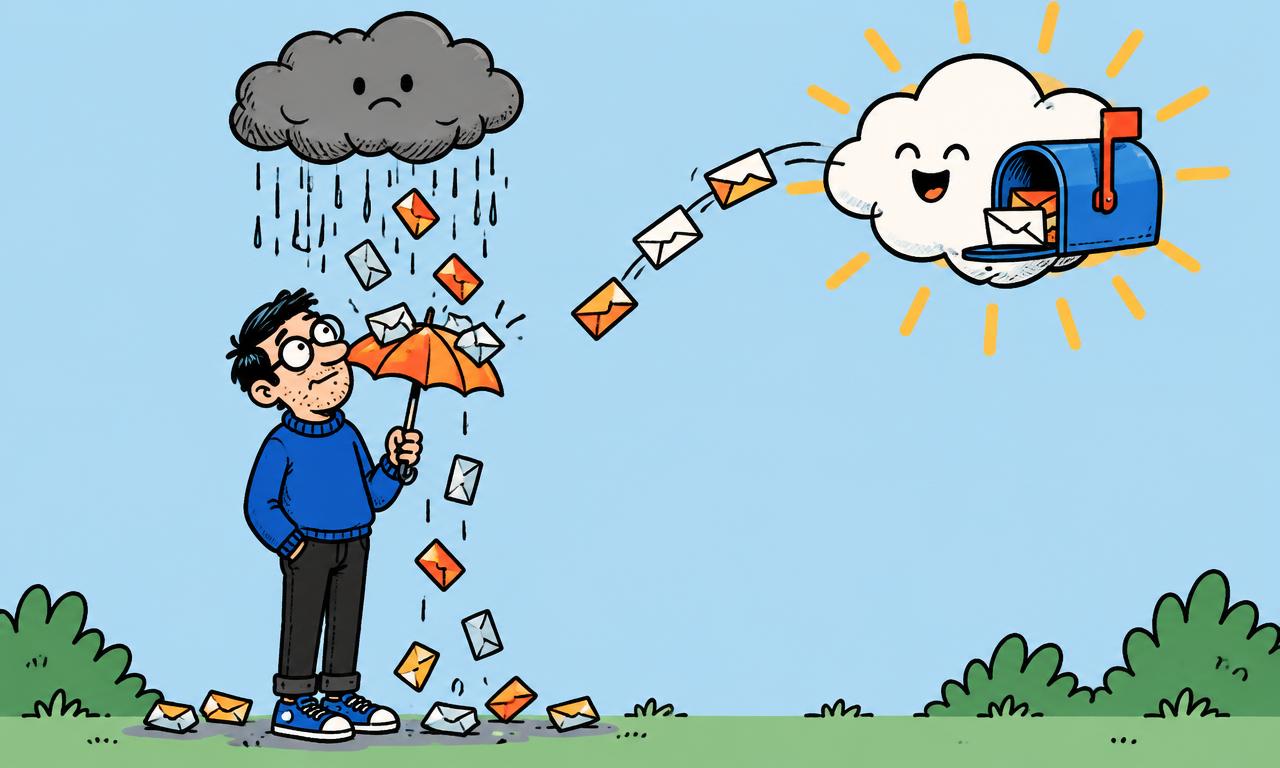
Only email people who asked to hear from you. Bought lists and very old lists produce bounces and spam complaints, and those signals hurt every email you send afterwards. Collect addresses with a signup form, at events with a clear consent line, or from donors you already have a relationship with.
A person who forgot they signed up in 2019 is more likely to press "report spam" than to read. Each complaint tells the provider that your email is unwanted.
Use signup forms on your website, a hosted form page with its own link, or a popup. For privacy rules on who you may email, read the GDPR guide for nonprofit newsletters.
Clean your list
Clean your list at least once a year. Remove addresses that bounce and people who have not opened anything in 12 months or more, or send them one last email asking if they want to stay. A smaller, engaged list reaches more inboxes than a large, silent one.
Addresses that bounce or unsubscribe are skipped automatically in WeGlow Mail, which protects your sender reputation. For quiet contacts, use the re-engagement automation: it sends an email to contacts who stopped reading, so they can choose to come back.
If nobody comes back after that email, stop sending to them. Fewer, more engaged recipients send a clearer signal than a long tail of people who never open.
If a group has not responded after that, take them off your regular sends. You can also read how to win back lapsed donors before you let them go.
Send from your own domain
Send from your own domain, such as news@yourcharity.org, after you verify it with DKIM, SPF and DMARC. These three records tell inbox providers that the email really comes from you. Without them, your message looks like it could be anyone's.
In plain terms: SPF lists which servers may send for your domain, DKIM adds a signature that proves the message was not changed, and DMARC tells providers what to do if a check fails. They are DNS records, added where you manage your domain. The guide to DKIM, SPF and DMARC for nonprofits goes through the steps.
WeGlow Mail sends through Amazon SES in the EU (Ireland) and lets you send from your own domain once it is verified.
What Google and Yahoo ask of senders
Google and Yahoo publish requirements for senders. Google says all senders to Gmail need SPF or DKIM and a spam rate below 0.3%, and bulk senders need SPF, DKIM, DMARC and one-click unsubscribe. Yahoo asks bulk senders for similar steps. Check their pages for current rules.
Google's page on email sender guidelines defines bulk senders as those sending more than 5,000 messages a day to Gmail addresses, and asks them for SPF, DKIM and DMARC (a policy of none is allowed), a visible unsubscribe link and one-click unsubscribe for marketing messages. It also asks everyone to keep the spam rate in Postmaster Tools below 0.3%, and recommends below 0.1%. We checked this page on 12 November 2026.
Yahoo's sender best practices ask for SPF and DKIM, a DMARC policy that passes, a working unsubscribe header with one-click support and a complaint rate below 0.3%. Most small charities send far fewer than 5,000 emails a day, but these steps are good practice at any size.
Make unsubscribing easy
Make unsubscribing easy, because a person who cannot leave will click "spam" instead. A visible unsubscribe link protects your reputation. Complaints count against you much more than a quiet unsubscribe, so let people go without friction.
The unsubscribe page in WeGlow Mail uses your own branding, so it still feels like you. Keep the unsubscribe link easy to find in every email. Yahoo asks bulk senders to honour an unsubscribe within 2 days, and in WeGlow Mail a person who unsubscribes is skipped from your next send automatically.
When someone leaves, thank them in one line and move on. A list that shrinks politely is healthier than one that stays full of people who dislike your emails.
Write emails people want to open
Content matters too. A clear subject line, a real sender name and one honest message do better than shouting. See 12 subject line ideas for nonprofit emails for patterns, and avoid capital letters and pressure words.
Check your reports after each send. If opens drop and unsubscribes rise, slow down and look at what changed.
A real person's name in the From line also helps. "Nadia at Northside Reading Club" feels more trustworthy than a no-reply address, and it invites replies, which are a good sign to providers.
A quick spam checklist
Everyone on the list asked to be there. Bounces are removed. The domain is verified with DKIM, SPF and DMARC. The From name is a real person or your organisation. Unsubscribe is visible. You sent a test to yourself first. Subject line is honest.
If you do all seven, you have done what a small sender can do. Try the setup with a free WeGlow Mail account: every feature, up to 250 subscribers.
Frequently asked questions
Why do my nonprofit emails go to spam?
The usual causes are a list with people who did not ask to be on it, many bounced addresses, a sender domain that is not verified, and readers who mark you as spam. Fix those in that order. WeGlow Mail skips bounces and unsubscribes automatically and lets you send from your own verified domain.
What are DKIM, SPF and DMARC?
They are three DNS records that prove an email really comes from your domain. SPF lists the servers allowed to send for you, DKIM adds a signature, and DMARC says what to do when a check fails. WeGlow Mail supports sending from your own domain once it is verified.
Do I need DMARC to send newsletters to Gmail?
Google requires DMARC from bulk senders, which it defines as more than 5,000 messages a day to Gmail addresses, and allows a policy of none. All senders still need SPF or DKIM. Check Google's own sender guidelines for the current wording, and set up your domain in WeGlow Mail anyway as good practice.
How do I get my emails out of the spam folder?
Ask recipients to mark your email as not spam and add you to contacts, clean your list, verify your domain and send fewer, better emails. Do not buy lists. WeGlow Mail helps by removing bounces and unsubscribes for you.
Does a clean list really help deliverability?
Yes. Providers look at bounces, complaints and engagement, and a smaller list of people who read your emails gives better signals than a large silent one. WeGlow Mail reports show opens, clicks and unsubscribes so you can see who is still engaged.
Ready to send your next newsletter?
Start free